
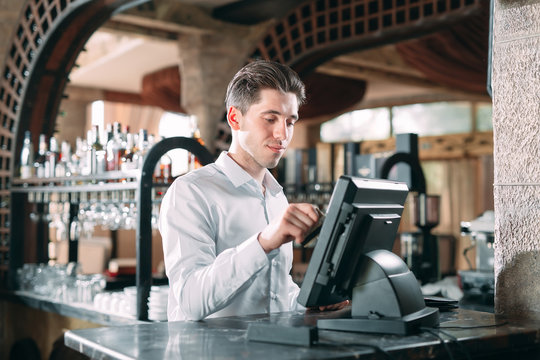
Your POS system is much more than a simple cash register

POS system benefits for small business
Many small business owners start with manual processes – tracking sales on spreadsheets or using standalone cash registers. While this might work initially, it can quickly become inefficient as your business grows.
A POS system for small business provides several benefits:
- Faster Transactions: Customers expect quick, seamless service. A POS system streamlines the checkout process, whether you accept card payments, contactless payments, or mobile wallets. In hospitality, this can mean faster table turnover and happier diners.
- Accurate Inventory Tracking: Manually updating stock can lead to mistakes. A POS system can help with inventory management, reducing the risk of overselling or stockouts. This is particularly important for restaurants and cafes managing perishable stock.
- Better Reporting and Insights: Knowing what sells, when, and to whom helps you make smarter business decisions. POS systems provide detailed sales reports and analytics tailored to your business.
- Enhanced Customer Experience: With integrated customer data, you can offer loyalty programs, promotions, and personalised service, making your customers more likely to return.
- Simplified Accounting: Many POS systems integrate with accounting software, reducing the time and effort spent reconciling sales and expenses.
Choosing the right POS system
- Ease of Use: Your staff should be able to learn the system quickly. A complicated POS can slow down service and frustrate employees.
- Hardware Requirements: Some POS systems require specialised hardware, while others work on tablets or mobile devices. Consider your space, budget, and mobility needs.
- Software Features: Look for features that match your business requirements – inventory management, reporting, customer tracking, and multi-location support if needed. For hospitality, table management, order tracking, and menu customisation are essential.
- Payment Options: Ensure your POS can handle the payment types your customers prefer, from cash and card to digital wallets.
- Scalability: Your POS should grow with your business. Choose a system that can handle more locations, products, or customers as your business expands.
- Offline Mode: It’s painfully annoying when the Internet goes down as that means you aren’t able to accept payments. But with an offline mode, you can continue to accept payments and have them stored in the POS until the Internet is reconnected.
- Loyalty System: Rewarding repeat customers is extremely important to ensure they have a consistently good experience, and are rewarded with free upgrades. A modern POS system should have the ability to recognise and automatically reward those customers to encourage repeat purchases.
- Support and Security: Reliable customer support and secure payment processing are crucial to avoid downtime or data breaches.
How to compare POS Systems

Tips for implementing your POS system
- Train your team: Staff should be comfortable using the system before it goes live. Most vendors offer training and support materials to make this easier.
- Transfer data carefully: Import your existing inventory, customer lists, and sales history accurately to avoid discrepancies.
- Test before launch: Run a few test transactions to ensure everything—from payment processing to reporting—is working correctly.
- Regularly update software: Keep your system updated to access new features, improve performance, and maintain security.
- Monitor performance: Use the reporting features to track sales trends, manage stock, and identify areas for improvement.
The immediate impact of modern POS systems

A POS system for small business isn’t just a convenience; it’s a tool that can help you grow, save time, and make smarter decisions. For hospitality businesses, it also helps run smooth, efficient service during peak hours.
Frequently Asked Questions about business POS systems
Are “free” POS systems really free?
While it sounds appealing, a “free” POS system is rarely without cost; the cost is simply shifted from an upfront software fee to ongoing operational expenses. The business model for most companies offering free POS software is to make their revenue from payment processing.
Here’s the breakdown: instead of charging a monthly subscription for their software, these companies require you to use their in-house payment processing services. Every time a customer pays with a credit or debit card, the POS company takes a percentage of that transaction. This means that while you don’t pay a recurring software fee, you are locked into their specific payment processing rates, which may be higher than the market average.
The main trade-off is between upfront cost and long-term cost. For a brand-new business with limited startup capital, avoiding a monthly software fee can be very attractive. However, as your business grows and your sales volume increases, the amount you pay in processing fees can quickly add up to be far more than what you would have paid for a subscription-based POS system that allows you to shop for a more competitive payment processor.
As the old saying goes, there’s no such thing as a free lunch.
How much does a POS system cost for a small business?
The cost of a POS system can vary widely. Most modern systems use a subscription model with a monthly fee per terminal, which can range from $30 to over $150. You also need to consider hardware costs (which can be a one-time purchase) and payment processing fees, which are typically a small percentage of each transaction.
Why do I need a POS for my cafe?
A generic cash register can’t keep up with the unique demands of a busy café or restaurant.
A hospitality-specific POS system helps you manage the morning rush with faster ordering, sends clear digital dockets to your baristas to reduce errors, and tracks inventory not just by item (like a croissant), but by ingredient (like coffee beans and milk).
It can also manage loyalty programs (like a digital “buy 9, get 1 free” card) and provide reports on your busiest hours and most profitable menu items.
What happens if my internet connection goes down?
This is a common concern with cloud-based systems. Most reputable POS providers offer an “Offline Mode” that allows you to continue processing cash and card payments even without an internet connection. Once your connection is restored, the system automatically syncs all the transaction data that was saved locally.
What kind of customer support should I expect?
Reliable customer support is non-negotiable. Look for a provider that offers 24/7 support, especially if your business operates outside of standard 9-to-5 hours (like a bar or café). Check if they offer support through multiple channels like phone, email, and live chat.